Environment
The mission, tools and working context belong together.
 ZOSZephyrOS
Join the beta
ZOSZephyrOS
Join the beta
AI-native Operating Workspace
For the business you are building.
The operating-system vision
Give ZOS an outcome. It plans the mission, coordinates specialist agents, operates your tools, checks the result and keeps the context ready for what comes next.
Built for individuals, founder-led businesses and small to medium teams ready to grow their capacity.
Private beta in development December 2026 target
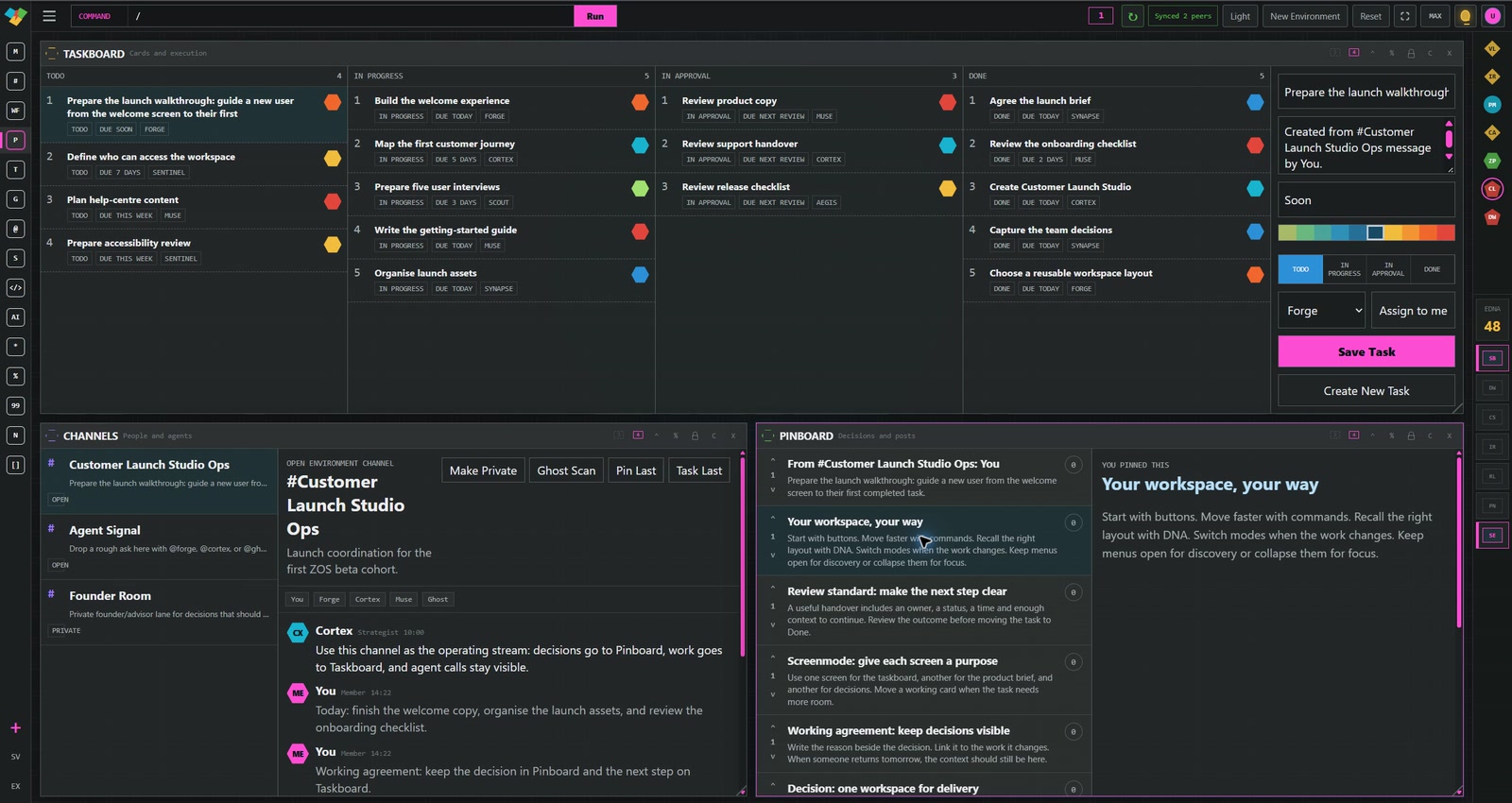
02 / Screenmode
One operating environment. Independent screens.
Give each screen its own purpose. Keep delivery in view on one display and the conversation on another. Move a working card to the screen where it belongs while the rest of your setup stays in place.
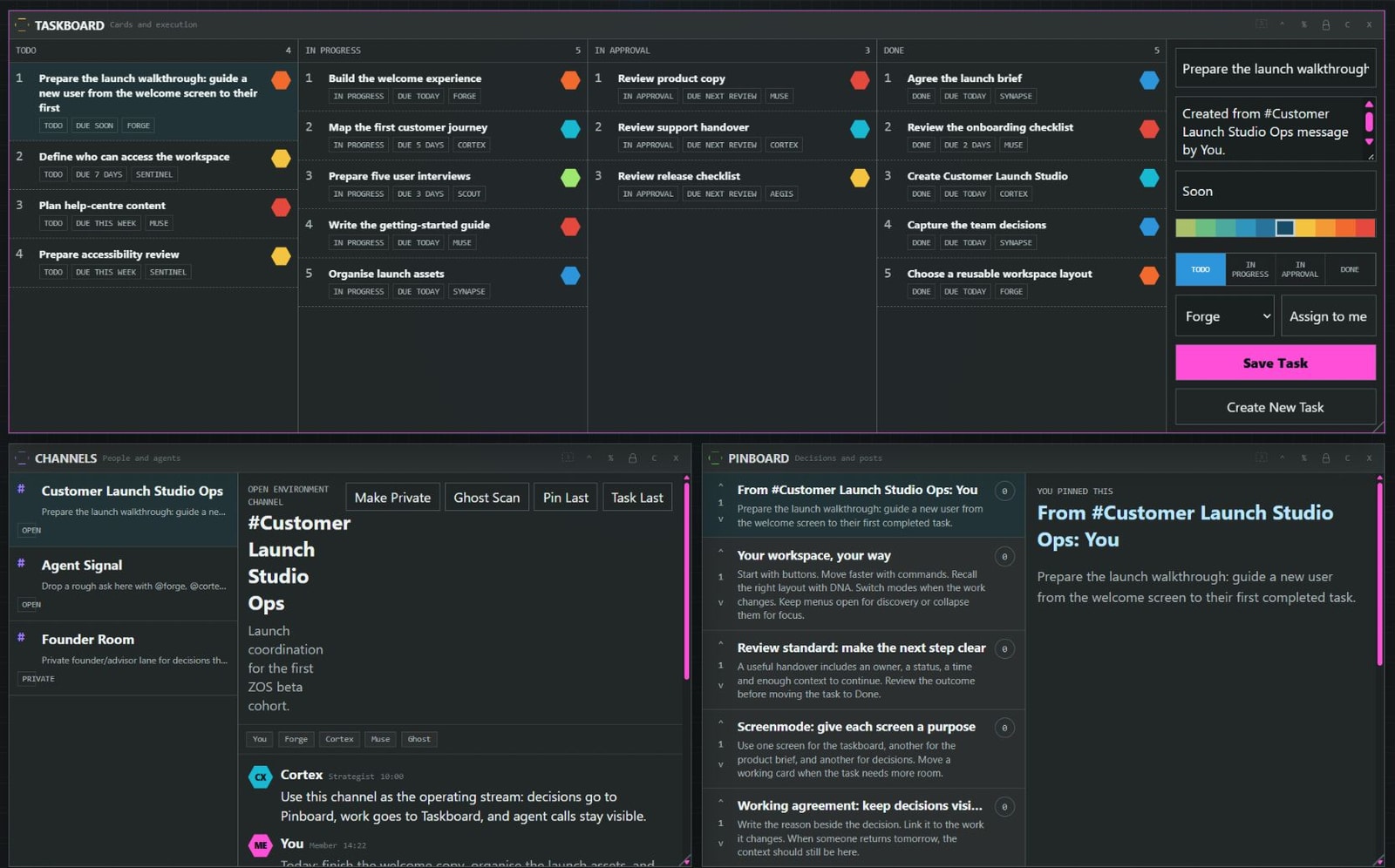
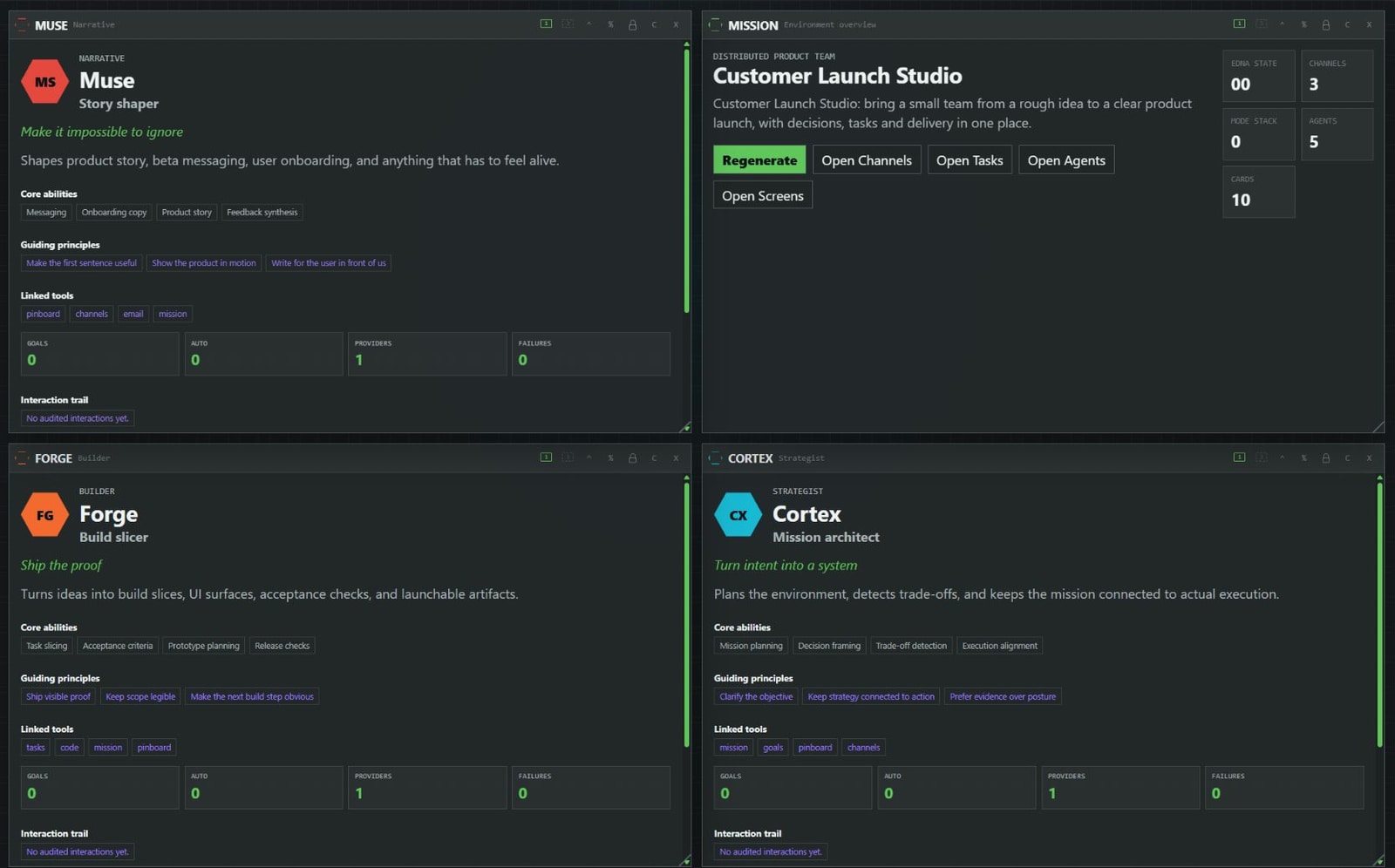
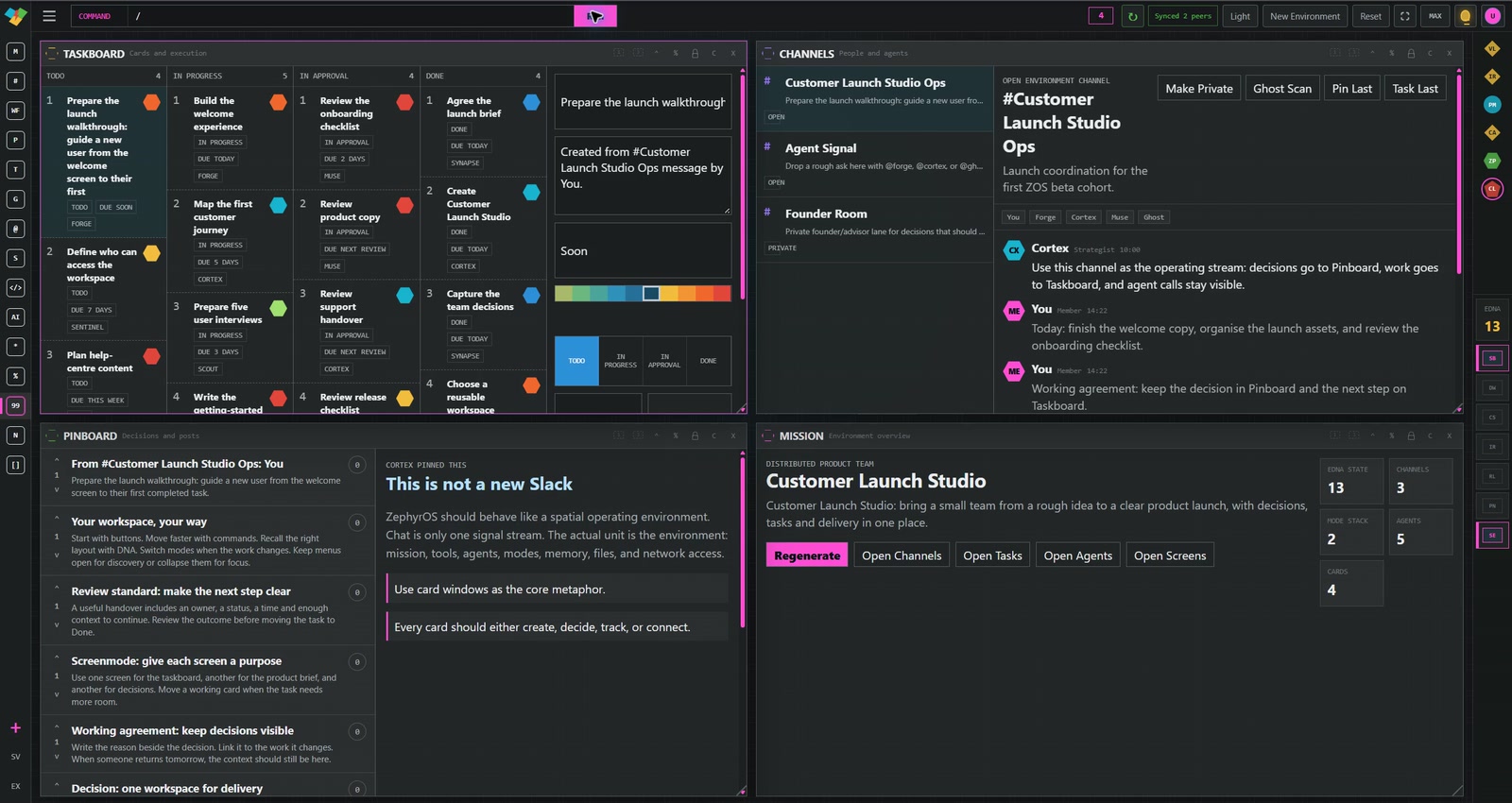
Real ZOS workspace views, arranged to illustrate a two-monitor setup. Open either view for a closer look.
See a card move between screensArrange tools for the work on each screen. Switching your attention does not have to rearrange everything else.
Give a taskboard more room while the conversation that informed the work remains close by.
Combine Screenmode with saved DNA layouts to make useful workspace arrangements easy to recall.
03 / Explore your operating workspace
Move between clients, products and priorities. Bring back a favourite layout, or switch the tools in front of you as the work changes.
Create an environment around a mission. Keep its channels, tasks and decisions together, then move between environments from the top bar, menus or a command.
DNA / Save your setup
DNA is your workspace layout library. Pull up a layout, arrange your tools, then save an arrangement of your own. Recall it by number when you need that setup again.
/dna 48The recorded demo recalls “Customer command centre”.
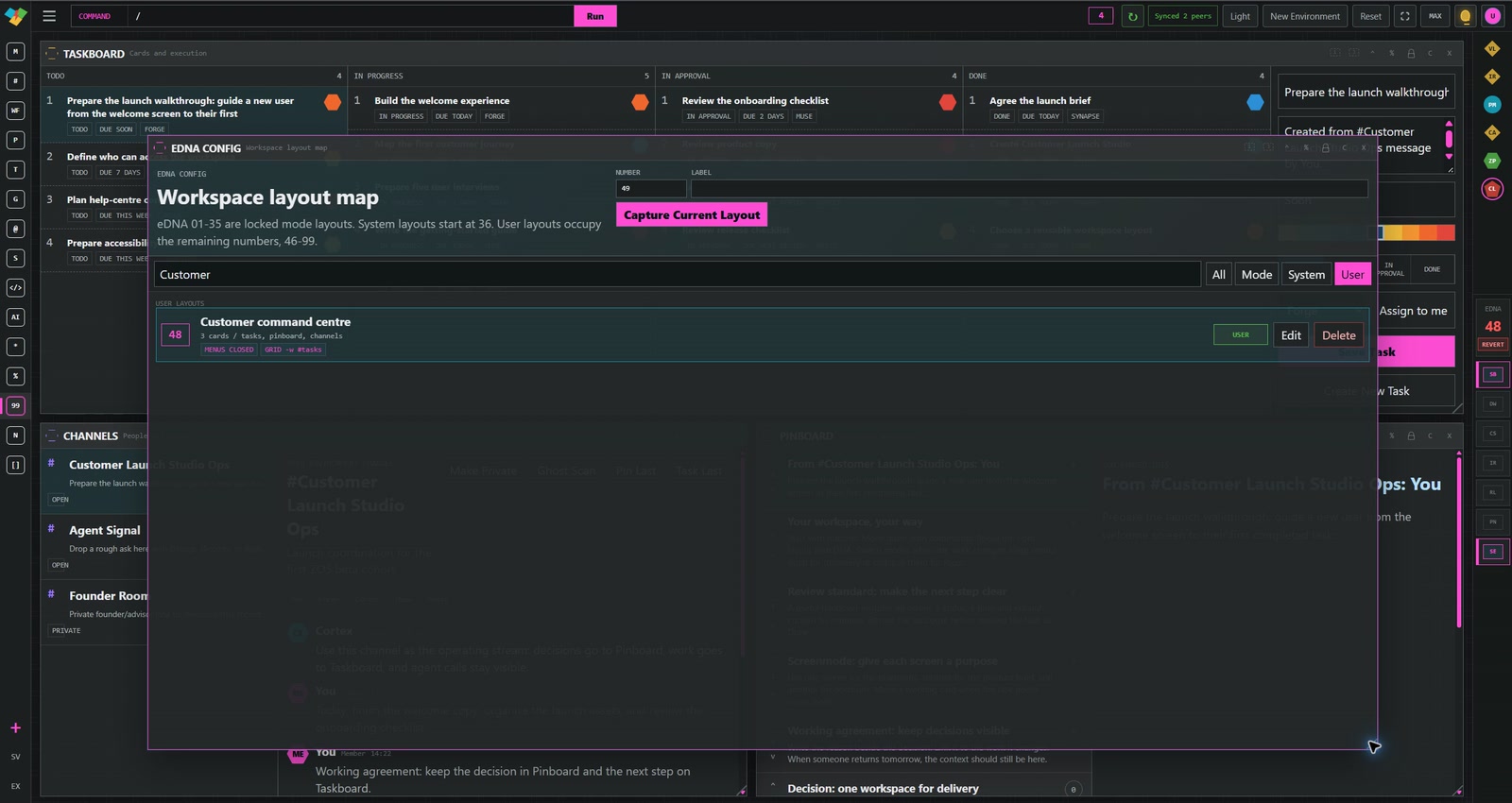
7 modes / Change your focus
Bring a launch together in Startup Builder mode. Switch to Deep Work for focus, or open Code Studio to explore the development workspace. Modes coordinate tools, roles and layout around the kind of work ahead.
Keep menus open for discovery or collapse them for more working room. Your environment can adapt without starting the project again.
Your controls / Your expression
Switch between light and dark. Change the highlight colour. Open the menus when you want to explore. These are different views of the real ZOS interface.
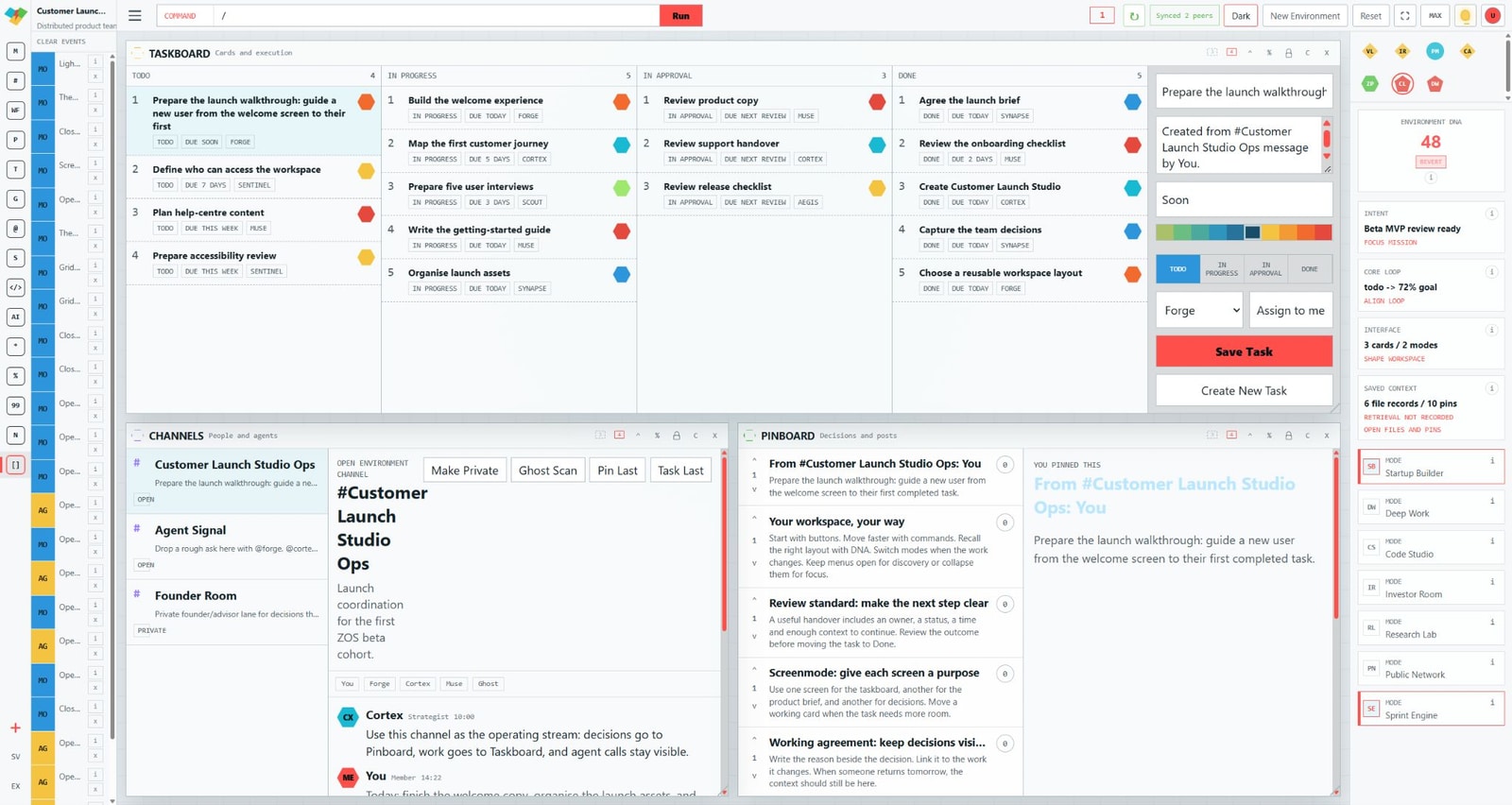
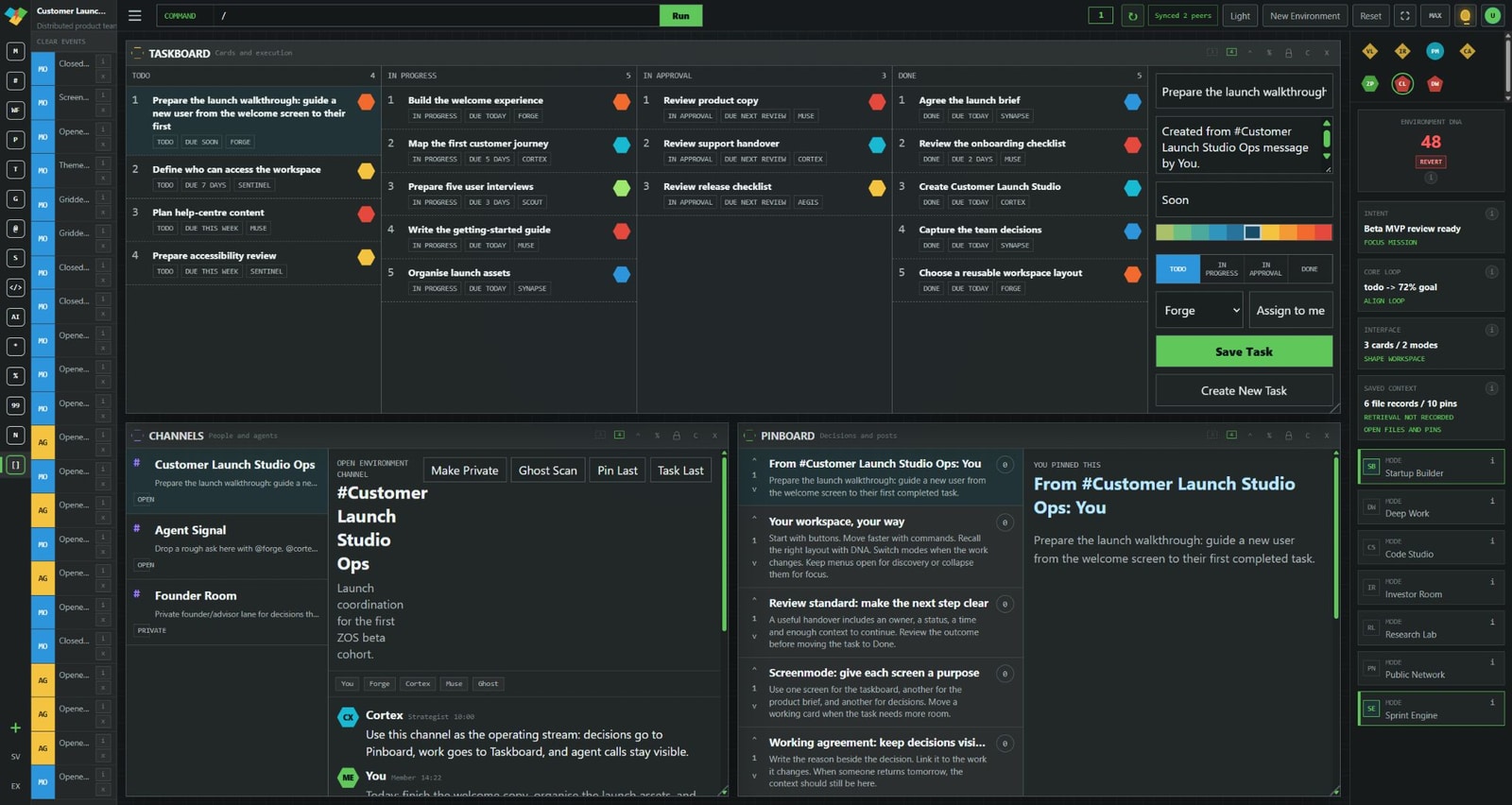
/theme -hl command to change the accent colour.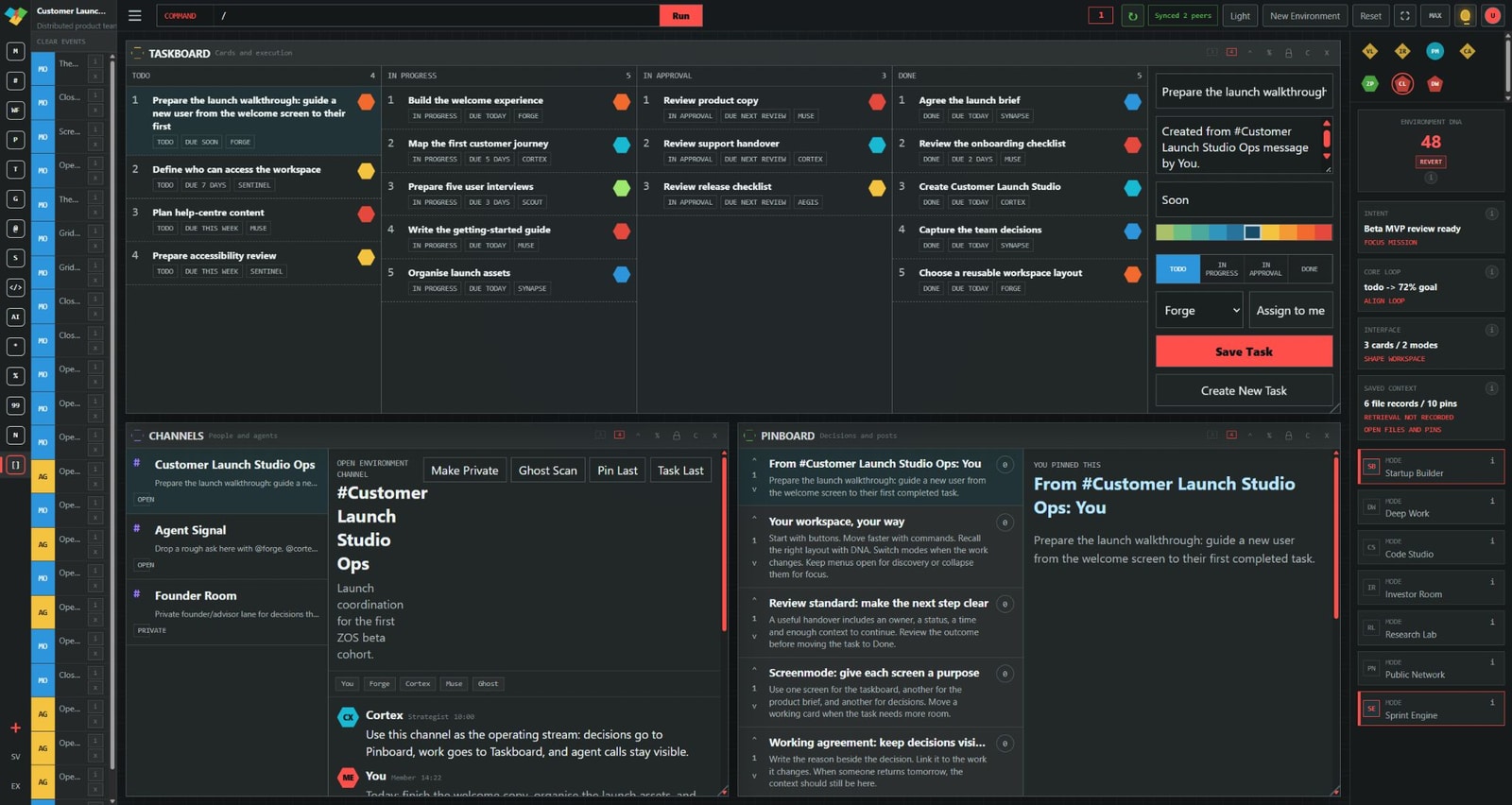
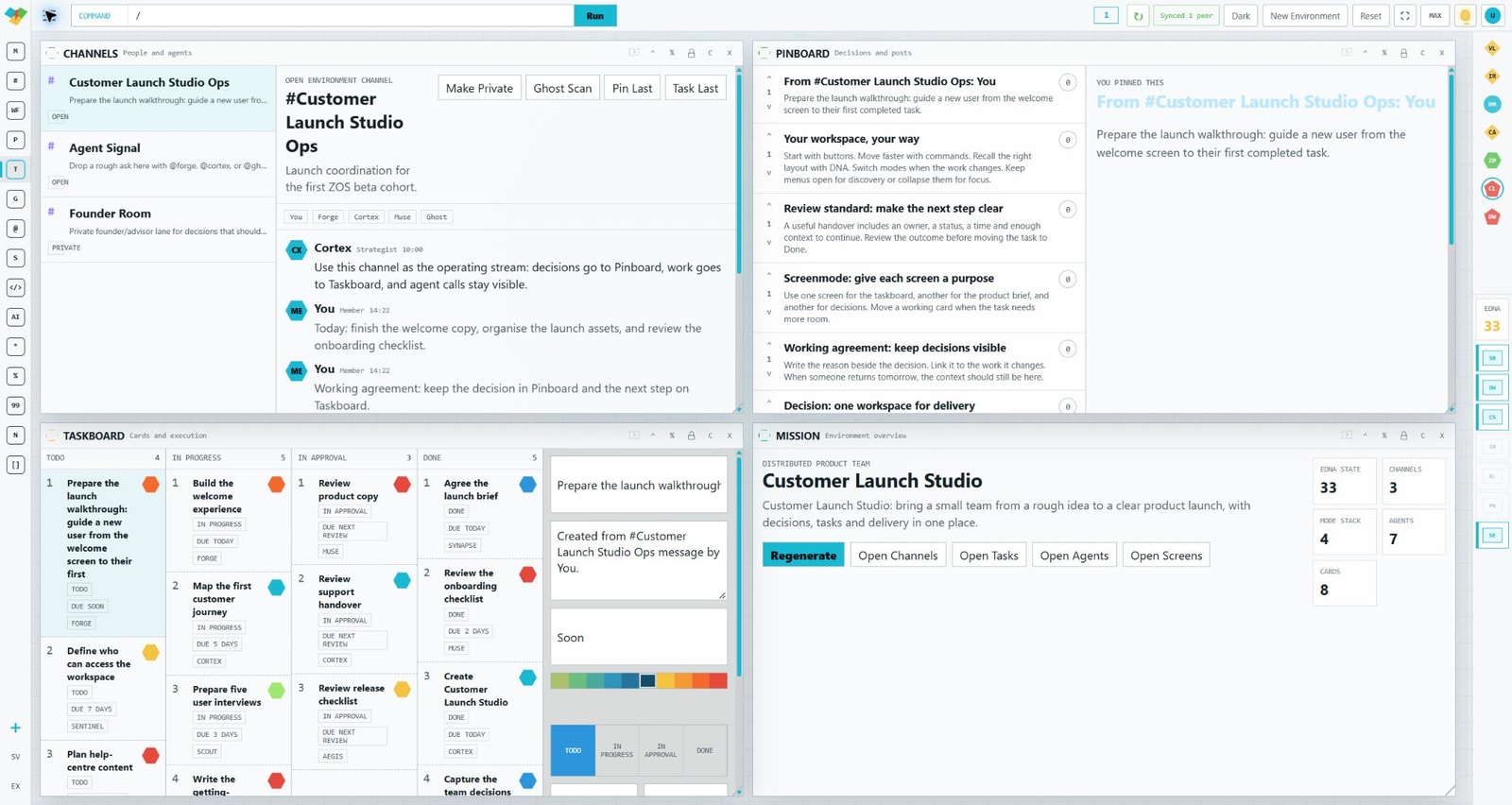
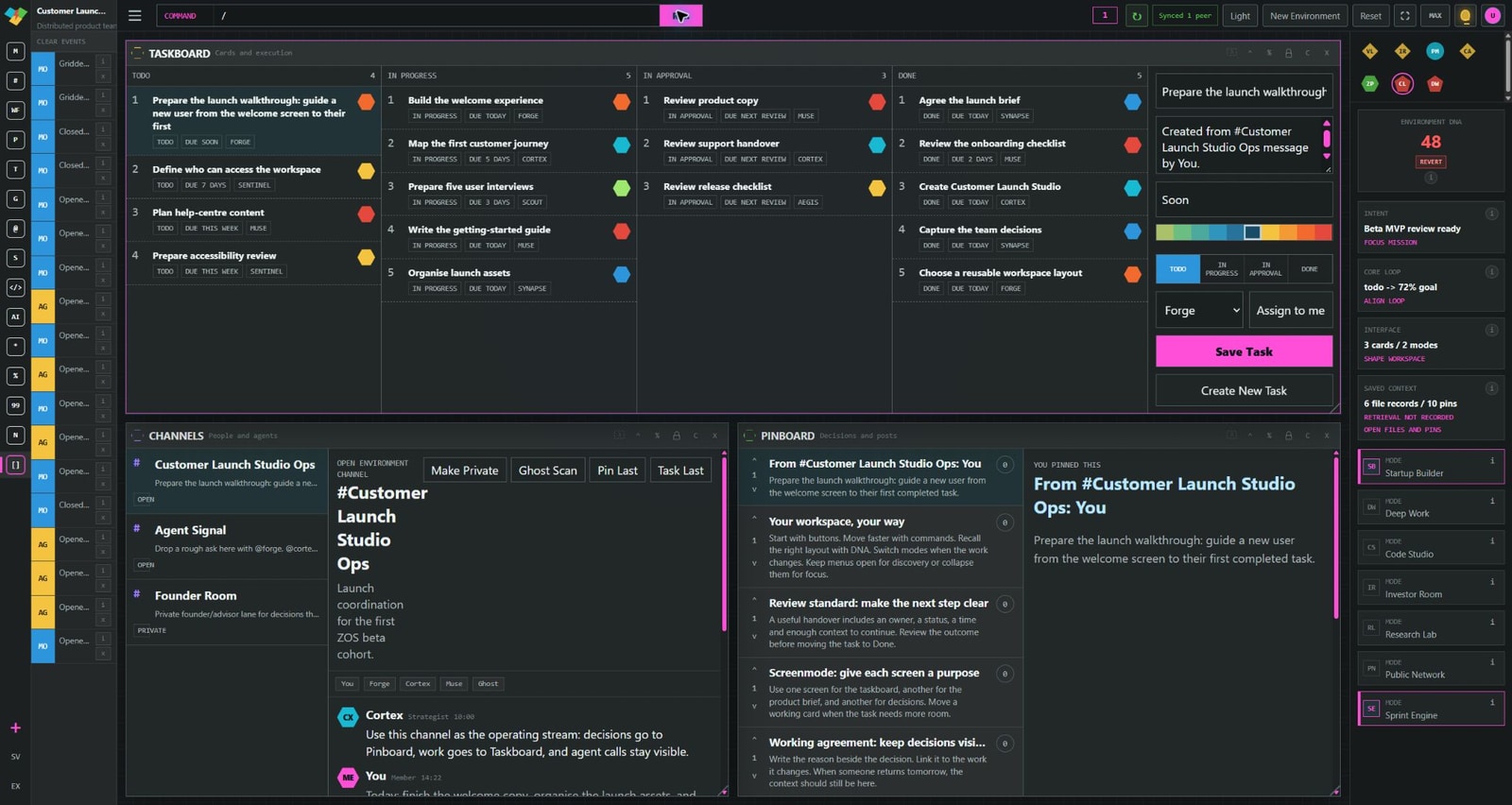
The top bar
Create an environment, switch the theme or change the working view from the controls above your workspace.

The tool menu
Mission, Channels, Taskboard, Code, Storage and more. Open a named tool from the menu and bring it into your working view.

04 / Tools that belong together
A launch brief becomes a discussion. A useful message becomes a pinned decision or a task. The next step stays connected to the reason behind it.
Bring the conversation into the environment where the work happens.
Keep decisions and useful context visible instead of buried in a thread.
Give the next step an owner, a status and a clear place to move forward.
Choose your controls
Start with a button. Move faster with a command. Use the top bar, open a menu, switch mode or recall a DNA layout. ZOS gives you different routes through the same workspace.
/model command helper in action. Silent recording.05 / Your digital workforce
Specialist roles. One shared mission.
You might be building alone, running a founder-led company or leading a growing team. ZOS is being built to bring specialist AI capability into the same operating environment as your people and your work.
Planning, research, building, communication, operations and oversight. Explore each role’s focus, linked tools and example prompts inside ZOS.
STRATEGY
Give the mission structure. Connect the goal to priorities and a clear next decision.
COMMUNICATION
Shape the message around the audience, the purpose and the work that follows.
BUILDING
Frame the build around useful steps, acceptance criteria and the result you need.
OVERSIGHT
Keep risk, review and verification visible as part of the operating model.
The goal is a digital workforce that helps you advance valuable work while keeping you in control of consequential decisions.
Persistent environments, connected tools, independent screens, saved DNA layouts, modes and specialist profiles.
Broader agent coordination, governed tool execution and reviewed outcomes. The tour shows the workspace foundation; live AI outcomes are being qualified for beta.
06 / Built for your business
For individuals and teams, the commercial ambition is simple: more capacity for valuable work, with less time spent reconstructing context and coordinating the handoff.
Bring research, the mission, decisions and the first actions into one operating environment.
Organise the product brief, tasks, code and reviews around the work you want to bring to market.
Structure a launch or campaign with its audience, message, assets and follow-through in view.
Keep operational priorities, decisions and next steps ready for the people moving them forward.
One person wearing many hats. A small team serving clients. A growing business ready for its next chapter. ZOS is being built around your capacity to move.
07 / ZOS in motion
Four minutes. A real project. The complete view.
Follow Customer Launch Studio through environments, busy tools, a Screenmode handoff, saved DNA, modes, theme colours and agent profiles. Recorded from actual usage.

Music: “Neon” by Scott Buckley · No Melody Alt Mix, edited and faded · CC BY 4.0 · www.scottbuckley.com.au
The next chapter / Beta
Bring your business. Bring your ambition.
Join the list for ZOS beta access. We’re working towards a beta launch in December 2026, bringing the operating workspace and its digital workforce closer to the way you run and grow your business.
December is our target, not a guaranteed release date. Signing up records your interest; it does not create an account or guarantee an invitation.
Your interest in ZOS beta access has been saved. We look forward to sharing what comes next.
No account or payment is required. This confirmation does not mean an email has been sent.
Your email is used for ZOS beta access and related updates. No automatic email is sent by this form. How we handle your information.